Using a computer while lying in bed
When I am lying in bed, I must think about it that I have to keep my muscles relaxed.
If I, for example, want to read something, then I am not able to relax so well.
However, there are times that I want to read something or search for something on the Internet or watch TV.
So I wanted to try if I could use a computer and use Internet while I'm lying in bed.
I lie flat on my back, and there are various structures that place a computer screen above someone.
But those are heavy constructions and also a computer screen is heavy.
Because I have multiple beds, it should also be movable.
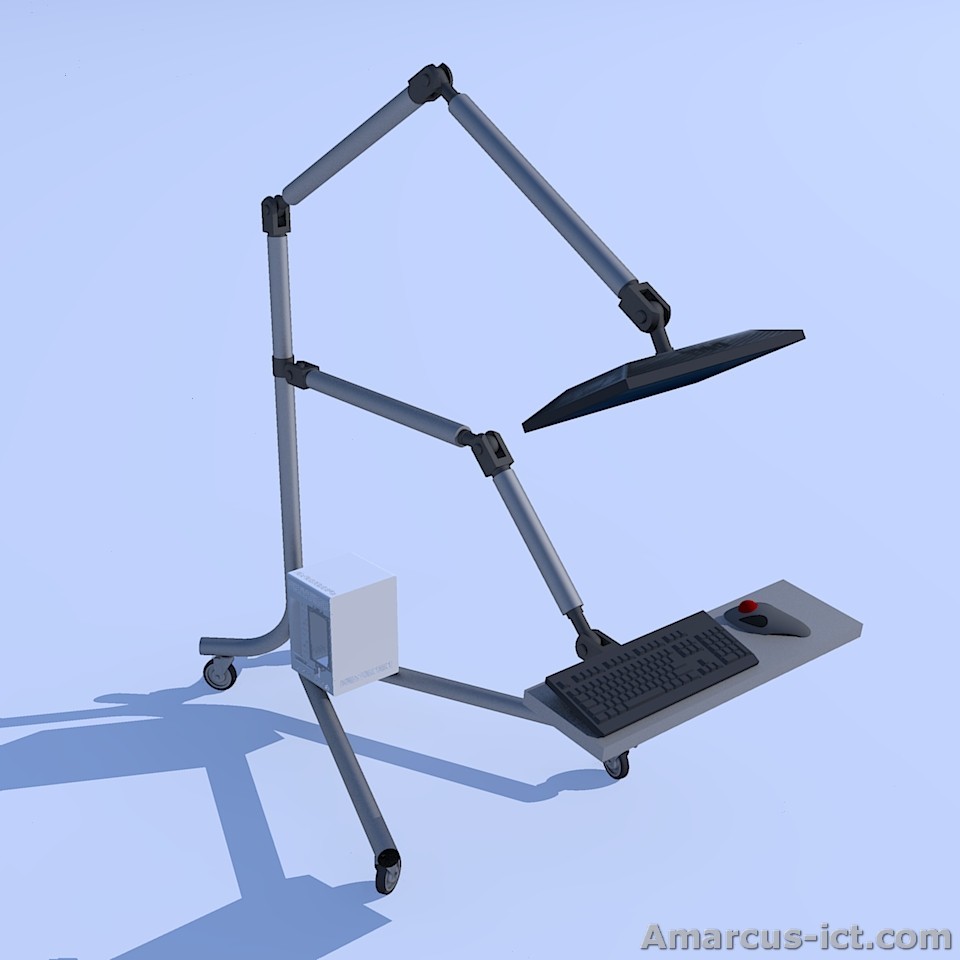
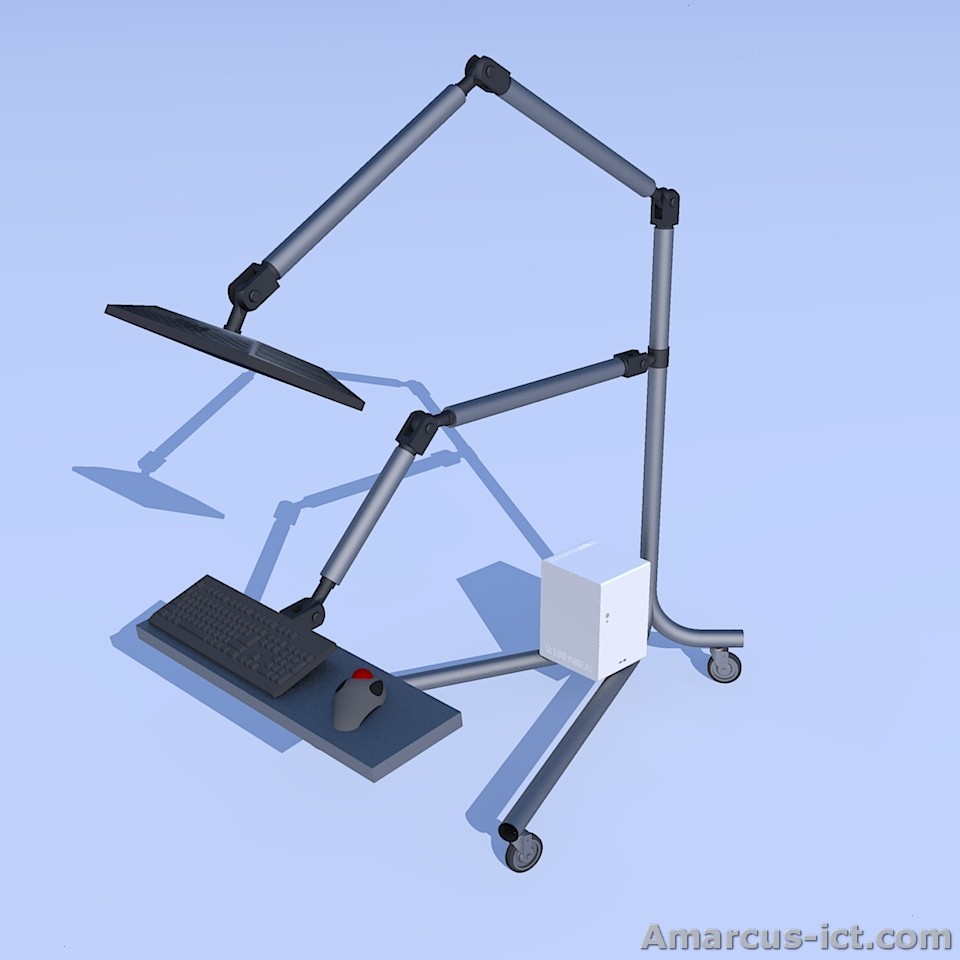
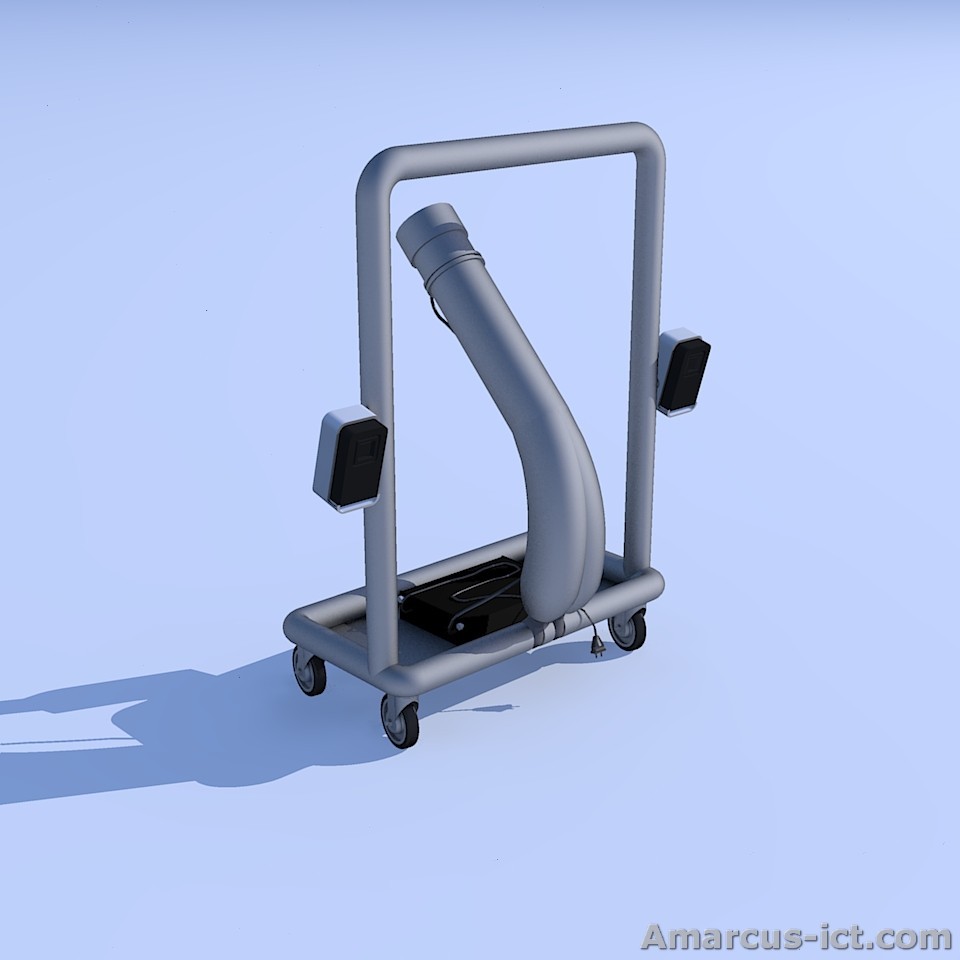
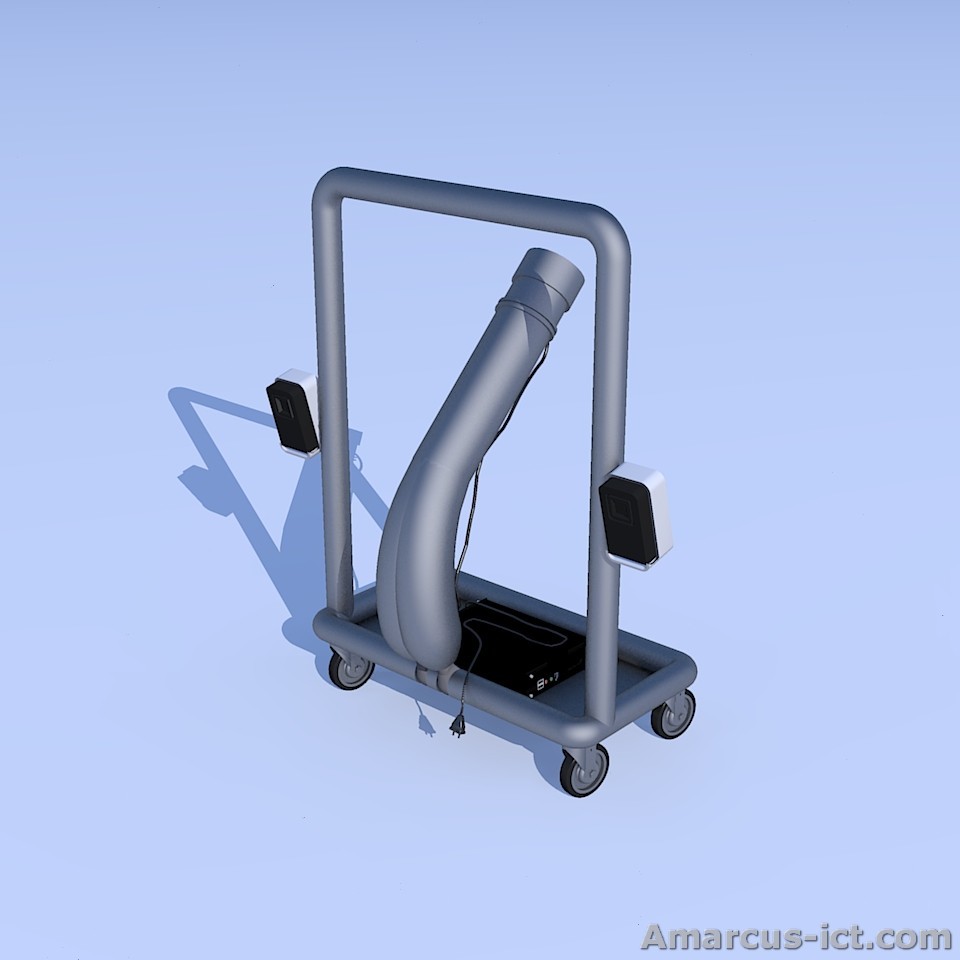
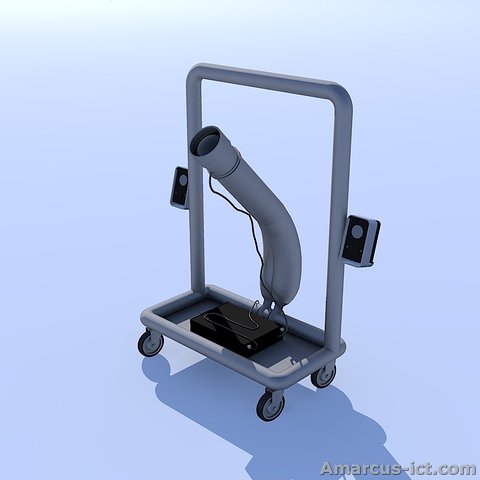
In my opinion, this is the nicest construction:
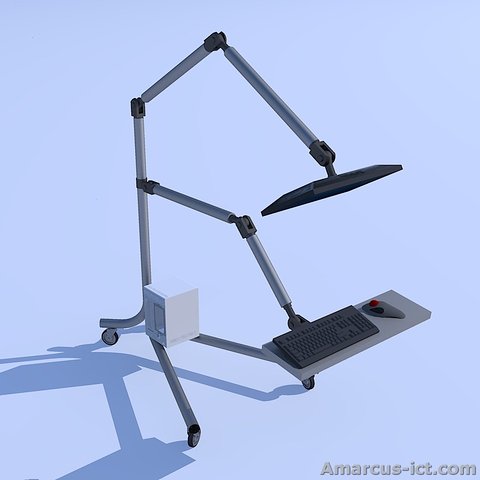
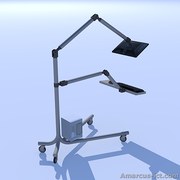
These 3D illustrations are made by Amarcus ICT and are Public Domain.
This construction consist of a large base with small wheels,
with a small mini-computer on that.
On that a standing tube, with a monitor arm for a monitor,
and a second monitor arm for the keyboard.
However, if I would fall asleep and then step out of my bed sleepy,
then I could stumble upon that construction.
So I tried a projector (beamer):
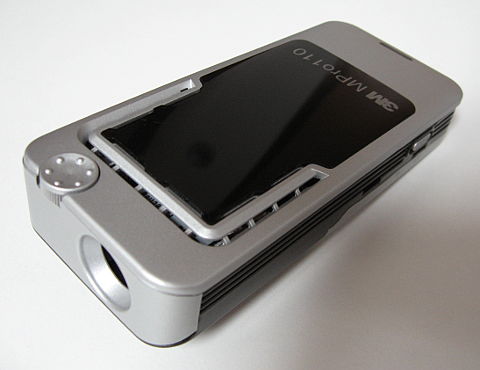
Brand en Type : 3M MPro110.
This projector has a LED light that does not need to be replaced.
In 2010 I paid 118 euros for this second-hand projector.
To use the projector, it has to be dark of course. But that's not a problem for me,
since it is already quite dark in my bedroom when I am lying in bed.
This projector has a low resolution, and the quality of the picture is not very good.
In 2010 I wrote on this page that I expected that in 5 years there would be
much better projectors for a lower price.
However, it took until 2018 before affordable LED projectors arrived.
The resolution of the image is still low.
There was almost no technological progress in those 8 years.
On the other hand, in 2018 it is normal to only use LED lamps in houses.
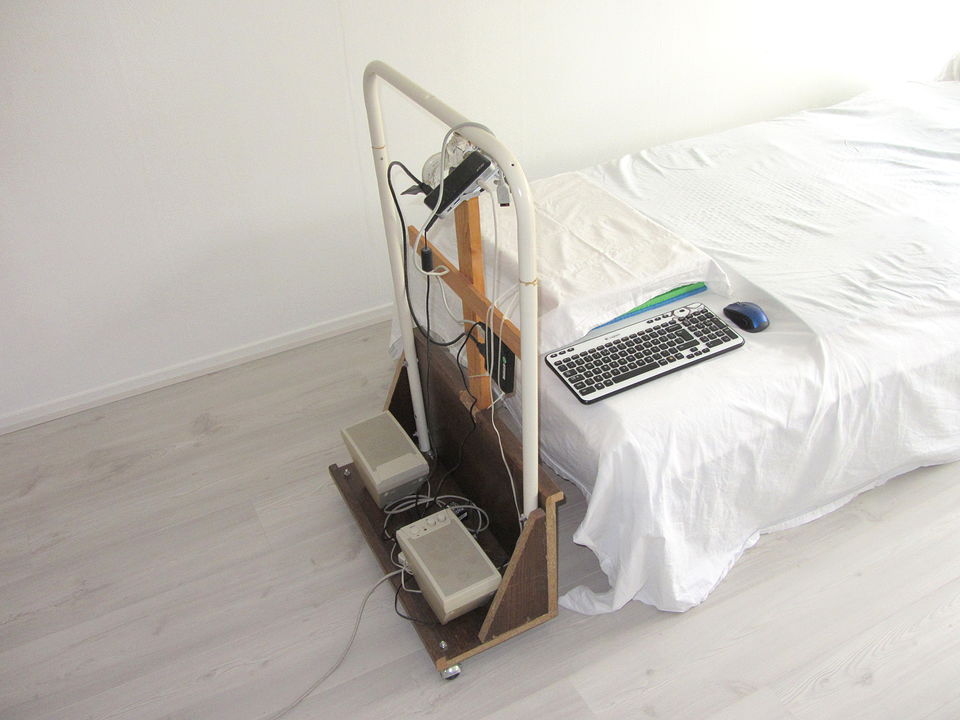
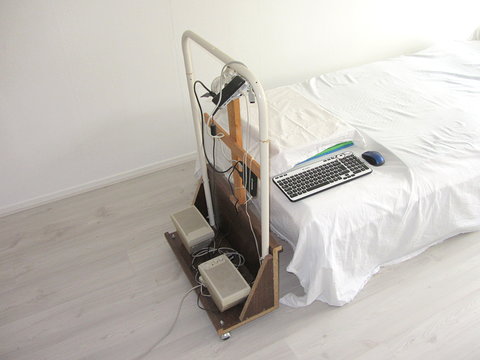
I placed an old computer on some kind of low cart (like a trolley),
on which I mounted the projector.
I place this cart at the headboard of my bed.
The projector projects the image onto the ceiling.
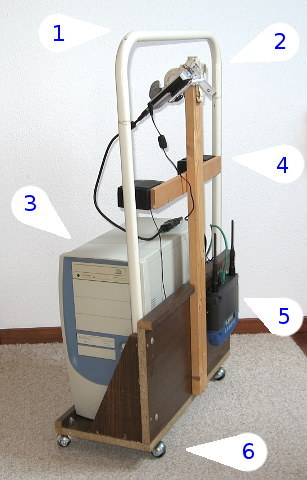
1. Handle.
2. Projector (beamer).
3. Old computer.
4. Speakers.
5. Wireless internet.
6. Small wheels.
The (ugly) cart above was put together in 2010 with old stuff I had lying around.
I only had to buy a VGA extension cable, because the cable that came with the
projector is very short.
A small mini-computer, such as a mini-ITX form factor with built-in wireless internet
and a nicely designed little cart would of course be much nicer.
The resolution of my projector is only 640x480 pixels.
That is a very low resolution.
For a sharp image, the computer should also be set to 640x480.
In Windows XP, It is possible to get a screen of 640x480 by selecting a monitor of 640x480,
for example something like "Digital LCD monitor 640x480".
The Linux version I installed is Xubuntu, because it is an old computer.
And with a small font, a resolution of 640x480 was pretty okay.
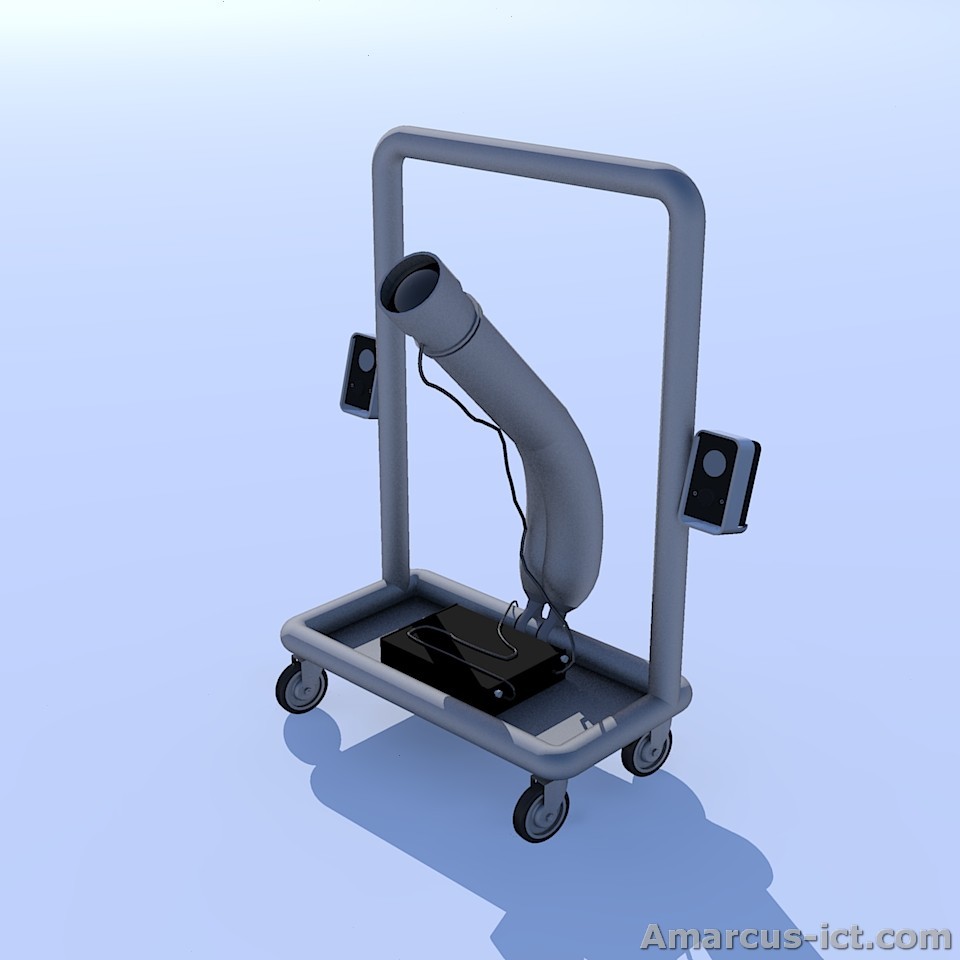
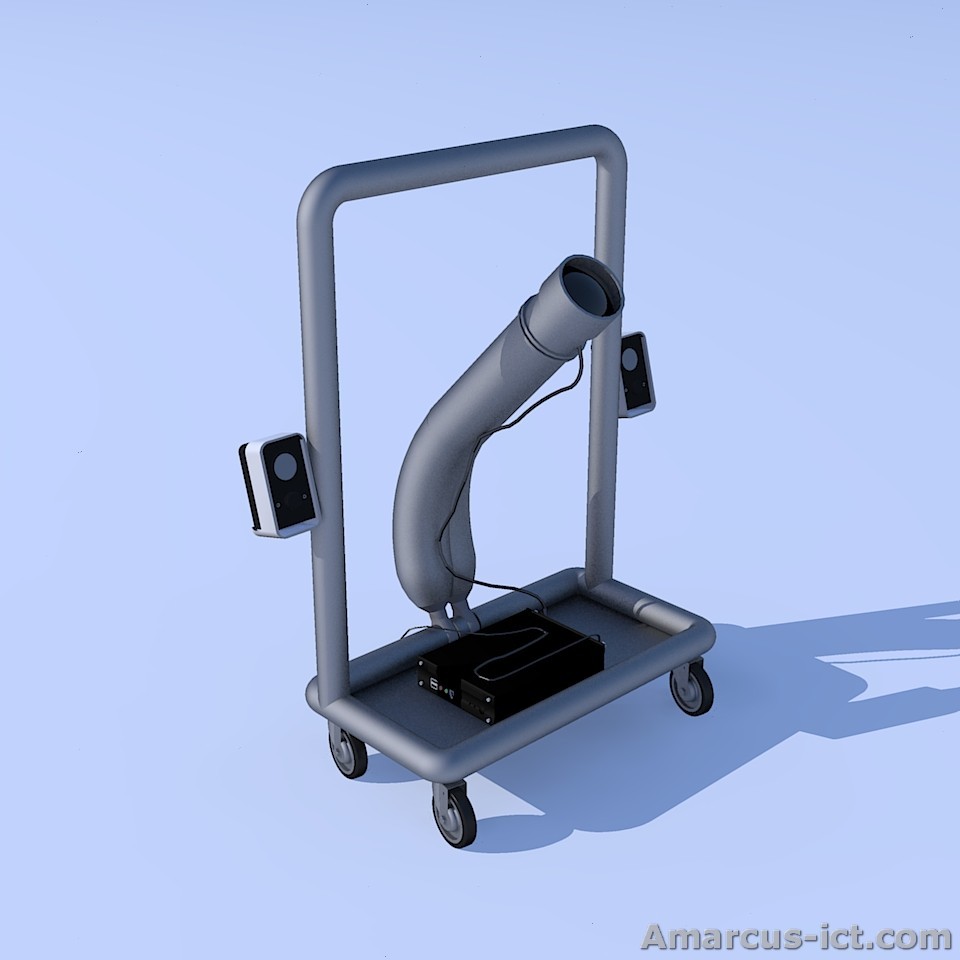
Below is a design for a nicer computer trolley:

These 3D illustrations are made by Amarcus ICT and are Public Domain.
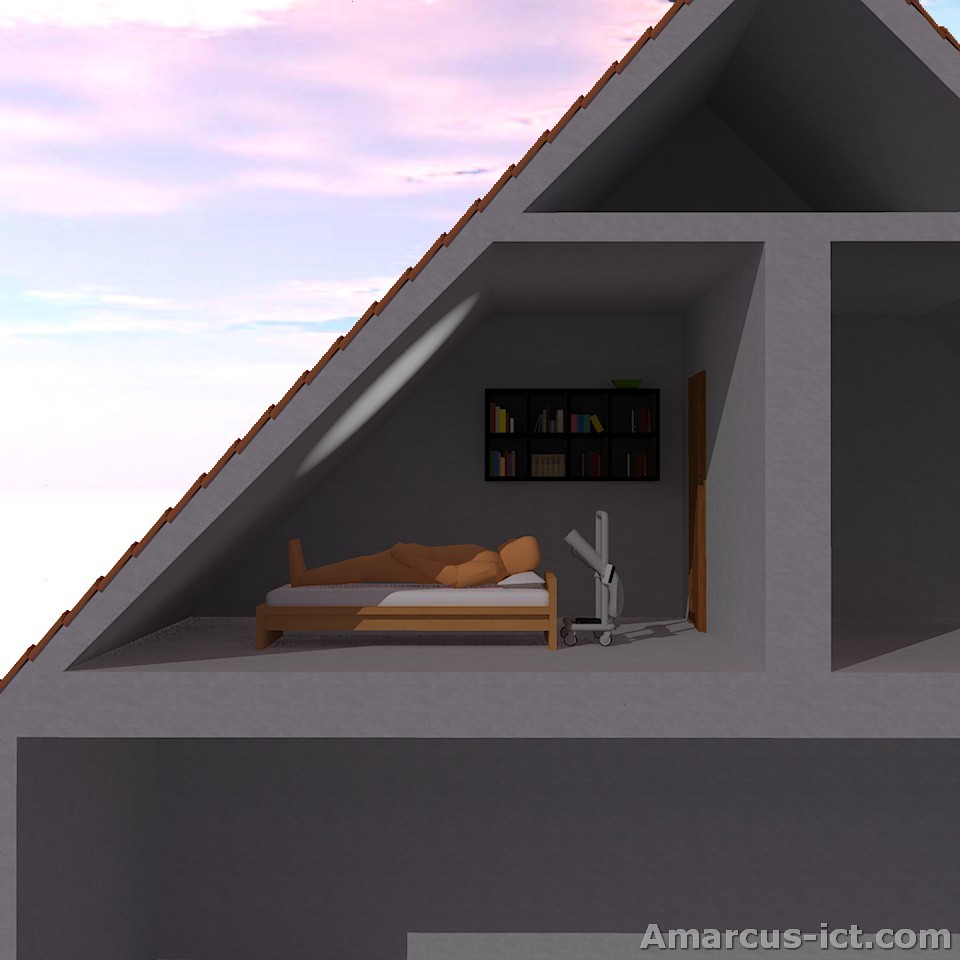
It turned out that it is the least burdensome for my neck,
if I project the image onto the sloping side of the roof.
Below is a picture how I use the trolley computer with the projector:
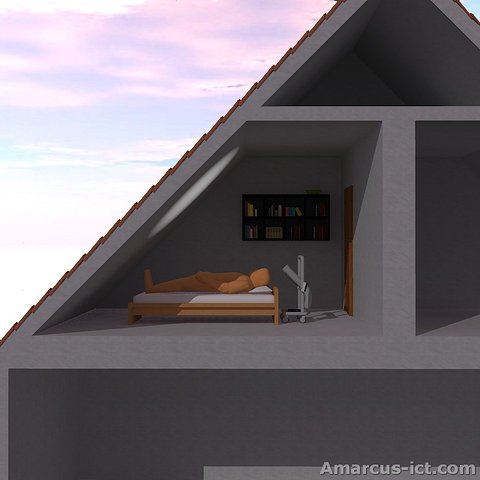
This 3D illustration is made by Amarcus ICT and is Public Domain.
To be able to use the computer, a mouse or trackball or similar device is required.
I strongly prefer wireless devices for safety. I could fall asleep, and then
I'd rather not have wires.
I used my Logitech MX Air mouse
to control the computer, and later I tried a
wireless trackball.
In 2012 I bought a
mouse that is designed to be used in bed,
and I use that mouse since then.
To type, I place a wireless keyboard on my belly, but typing is inconvenient.
- Using the computer and using internet
The most relax way is when both arms lie alongside my body.
And for example with a mini-keyboard near my left hand and a trackball near my right hand.
Sometimes I use an on-screen keyboard (so that a mouse is used to click on
the letters and numbers).
There is however no easy way to use a keyboard.
An other thing is, that a few buttons are sometimes pressed, if I
move a little.
For the sound I have two speakers placed on the trolley.
But using a Bluetooth headset could also be good solution.
- Watching TV
- Watching TV via the computer
There are two possibilities: a plug-in card for the computer
(a TV card), or a device attached to the USB bus.
Unfortunately I found that the quality of those cards and USB devices
is not very good and also the software that comes with it is usually only moderate.
But that is not a problem for this projector, since its quality is also not very good.
- Watching TV without a computer
The projector I used has also a video input.
Therefore it can also be used to show the signal from e.g. a television tuner,
and no computer is needed.
For analog TV the TV tuner could be an old VCR or DVD recorder.
I used a FM transmitter for sound. My mp3 player has a radio,
and I used that to listen to the sound.
I used a remote to operate TV tuner.
That way everything is wireless.
The FM transmitter is meant for in-car or indoor use,
but my neighbors could also be listening to it.
The final result is that I can't keep my neck muscles relax enough.
The biggest problem is when I want to type something,
but even watching TV via the projector has a negative effect on my neck.
Maybe someday I could try a "Head Mounted Display" (glasses containing a computer screen).
2012
In 2012 I used it quite often.
The computer on the trolley broke down, but an old laptop came available.
Using a USB TV device, I could also watch TV.
If I use this computer trolley, I make my pillow 0.5 to 1 cm higher.
2016
In 2016 I use it a lot. I still have the ugly trolley.
Instead of a computer I use an Android TV box, connected to a projector via a HDMI cable.
I do not have a cable subscription anymore, because that was no longer useful for me.
The movies and series were interrupted so many times with long commercial breaks, that
it was for me no longer possible to enjoy a movie or a series.
An Android TV box is a device with Android, but without a screen, without sensors,
without a camera and without a battery.
It is controlled with a wireless mouse and keyboard via the USB port.
My first projector from 2010 started to blink, therefor I had to replace it anyway, so I
choose one with HDMI input.
In 2014 I bought a used Acer Pico C20 projector of 130 euros.
However, only four years later was the brightness reduced to 50%.
The quality was apparently not good enough.
Using apps, I can watch many TV programs,
and I also started to watch daily vloggers on YouTube.
2020
In 2020 I upgraded the projector with better quality products.
The Android TV box was too old and too slow after only three years and was no longer up to date.
That is why I bought a (used) mini computer and I use a normal operating system on it.
I chose Manjaro linux. It is free and I always have the latest security updates.
The mini computer is fast enough to watch a movie via the internet.
Most tests for small projectors show that the brand LG is the best.
I bought the cheapest projector from LG, the LG PH150G beamer.
It has three brightness settings and with the lowest brightness setting,
the sound of the fan is not too loud.
The beamer is always on when I'm lying on my bed.
After four years the color blue was so dim that it was no longer visible.
I replaced the speaker with better speakers (second-hand M-Audio AV42).
2022
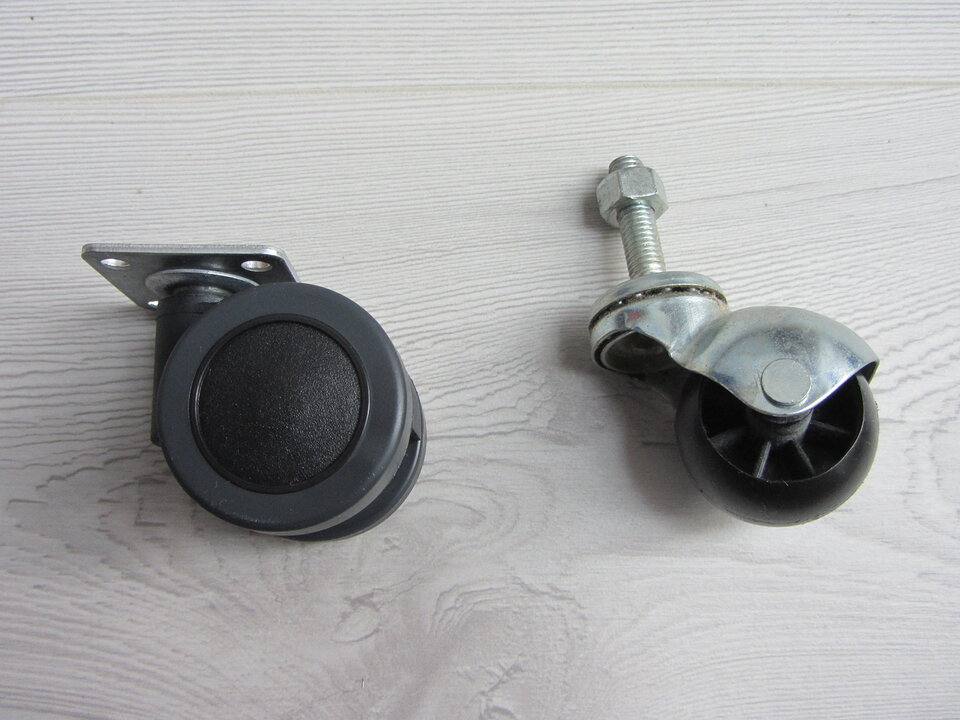
In 2022 I replaced the rattling caster wheels (on the right in the photo below) that were under the trolley.
The new caster wheels (on the left in photo below) are quiet and turn smoothly.
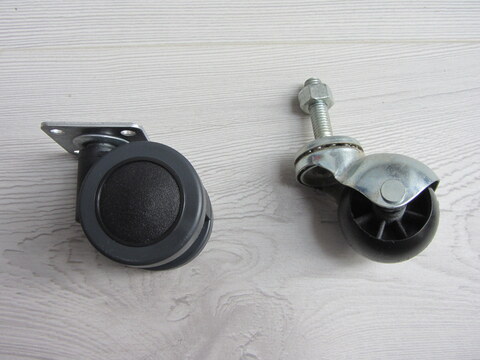
The new castor wheels are made of soft plastic (polyurethane) and there is no metal ball bearing.
I can push the cart in all directions and the wheels turn smoothly in the right direction.
They are called "meubelwiel 42 mm dubbel soft plaat 36 x 36 mm" and I bought them at www.zwenkwielen.net.
2024
Yet another beamer: Philips Neopix 330.
Last change to this page: February 2024