//
// Foot Switches
// -------------
//
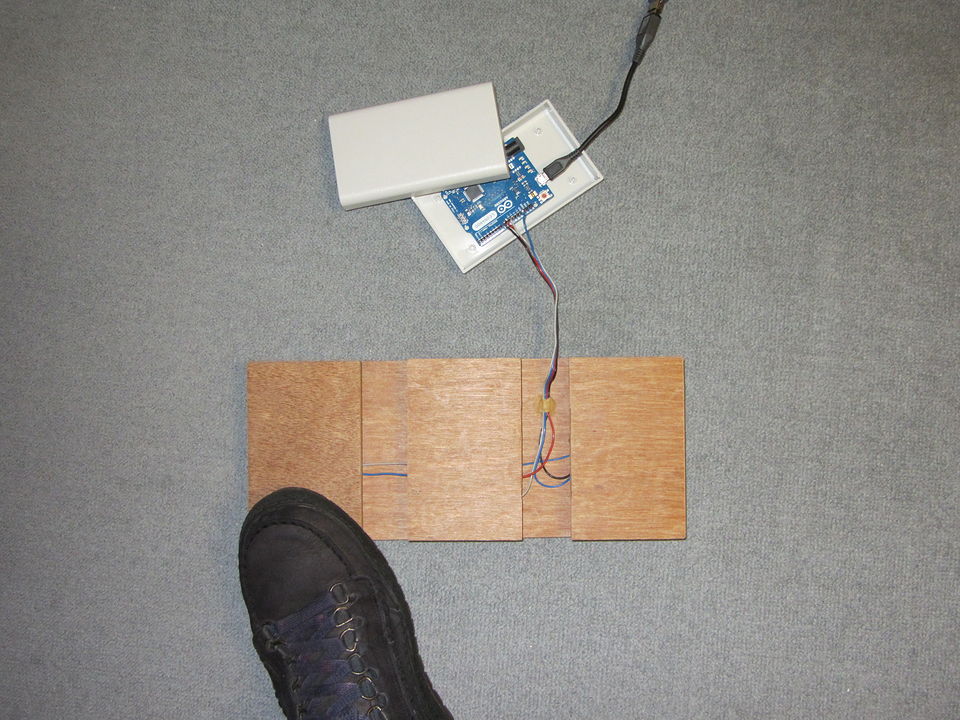
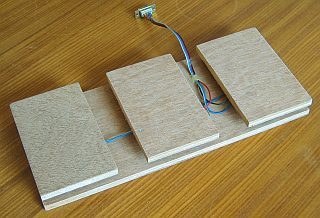
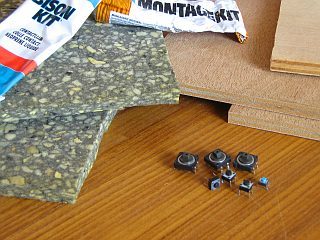
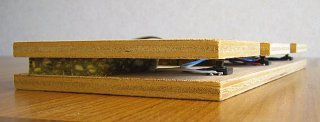
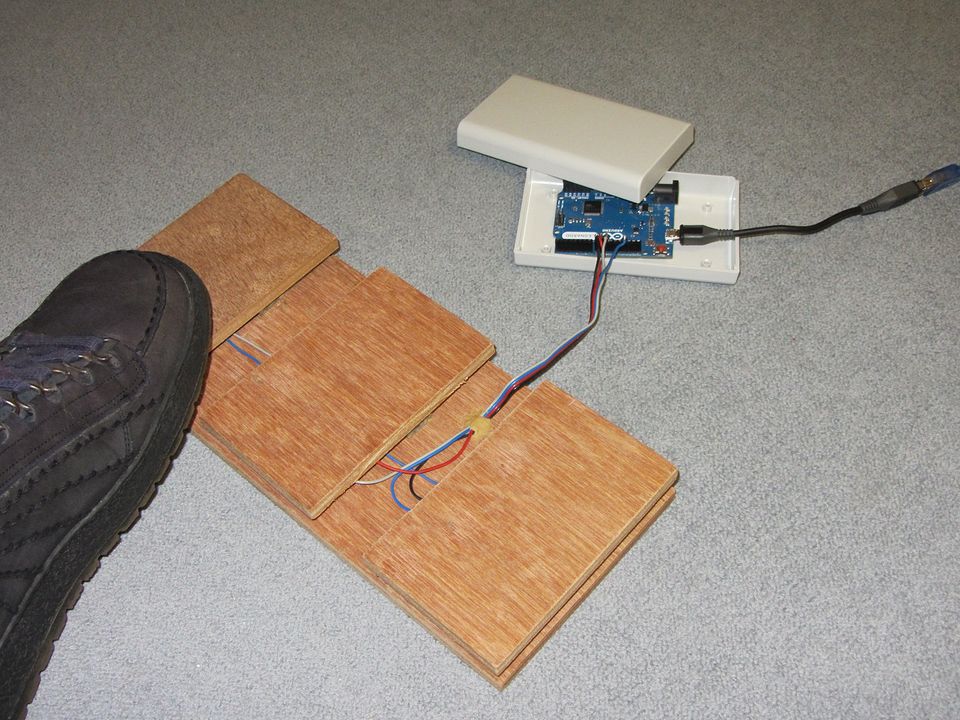
// Programmable foot switches.
//
// Public Domain
// February 2013
//
// Using:
//    Arduino Leonardo R3
//    Arduino 1.0.3
//
// Each switch is programmable with the Arduino codes for keyboard and mouse.
// The serial port (via USB) of the Arduino Leonardo is used to program the switches.
// The codes for the switches are stored in EEPROM.
//
// The simulated key is pressed as long as the foot switch is pressed.
// This is useful if a key needs to be pressed continuously, like in games and virtual worlds.
//
// The switches are connected to the Arduino Leonardo pins, and to ground.
// All digital pins 0 to 13 can be used, and also A0 to A5.
// Set the used pins in the code in the "pinSwitch" array.
// The internal pull-up resistor is used, but external pull-up resistors of 10k would be better.
//
// To initialize the codes, send the command 'INIT'.
// Do this only once.
//
// A serial monitor or terminal program can be used to program the switches.
// Set it to 9600,8,N,1
// In a serial terminal, type '?' followed by Enter for info.
// The commands must be transmitted without delay between the characters,
// due to a very simple timeout.
//
// The command line can be used to program the switches.
// With a few command line scripts, the foot switches can be programmed for a specific task.
//
// Foot switch programming command:
//    #xKKMM\r\n
//       #, The '#' is used as a start character
//       x, The switch number, starting from 0
//       KK, The keyboard code as 2 hexadecimal numbers.
//             A code from the ASCII table,
//             or a special key, see USBAPI.h
//             Set to 00 if not used"
//       MM, The mouse code as 2 hexadecimal numbers.
//             01 is left mouse button
//             02 is right mouse button
//             04 is middle mouse button
//             Set to 00 if not used"
//       \r\n, Any trailing \r\n is ignored.
//
// Examples:
//        #0DA00   set switch 0 to cursor up
//        #10001   set switch 1 to left mouse click
//
//
// Windows, PowerShell
//    Get the serial port names:
//      [System.IO.Ports.SerialPort]::getportnames()
//
//    Write the 'INIT' command (using COM9)
//      $port= new-Object System.IO.Ports.SerialPort COM9,9600,None,8,one; $port.open(); $port.WriteLine("INIT"); $port.Close()
//
//    Program a switch (using COM9)
//      $port= new-Object System.IO.Ports.SerialPort COM9,9600,None,8,one; $port.open(); $port.WriteLine("#0DA00"); $port.Close()
//
// Linux
//    Set the serial port baudrate (using ttyACM0)
//      stty -F /dev/ttyACM0 speed 9600
//
//    Write the 'INIT' command (using ttyACM0)
//      echo "INIT" > /dev/ttyACM0
//
//    Program a switch (using ttyACM0)
//      echo "#0DA00" > /dev/ttyACM0
//
//
// Possible improvements:
//    - Better debounce.
//    - Better timeout for serial commands.
//    - A sequence of key presses and releases per switch.
//    - Repetitive keystrokes or mouse clicks while the switch is active.
//
//
//
// EEPROM usage:
//     address 0 : two bytes for foot switch 0
//                 first byte : keyboard code, 0 if not used.
//                 second byte : mouse code, 0 if not used.
//     address 2 : two bytes for foot switch 1
//     ... and so on
//
//


#include <EEPROM.h>

#define NUMBER_SWITCHES 3          // the total number of foot switches

// Set the used Arduino pins in the pinSwitch variable
// Write your own pin numbers here for the connected switches !
const int pinSwitch[NUMBER_SWITCHES] = {10, 9, 8};

// boolean variable to remember if switch is pressed at the moment.
boolean active[NUMBER_SWITCHES];

char buffer[20];                  // common buffer


void setup()
{
  int i;

  Serial.begin(9600);

  // Set pins for switches to input.
  // Use internal pull-up resistor.
  // A external 10k pull-up resistor would be better.
  for( i=0; i<NUMBER_SWITCHES; i++)
    pinMode(pinSwitch[i], INPUT_PULLUP);

  // Assume no switches are active.
  for( i=0; i<NUMBER_SWITCHES; i++)
    active[i] = false;

  // Initialize mouse and keyboard control.
  Keyboard.begin();
  Mouse.begin();
}


void loop()
{
  if( Serial.available() > 0)
    SerialTask();
  else
    ProcessSwitches();
}


int SerialTask( void)
{
  int i, j, keyboardCode, mouseCode;
  char inChar;


  inChar = Serial.read();

  switch( inChar)
  {
  case '#':
    // A command to program a code for a switch.
    // Wait for all characters to get in the buffer.
    // This is done with a delay, which is used as a timeout.
    delay( 100);

    // If not enough characters are received, ignore everything.
    if (Serial.available() < 5)
      return( -1);

    // The next character is the ascii number of the switch.
    inChar = Serial.read();

    i = inChar - '0';

    // Test if the switch number is valid.
    if (i < 0 || i >= NUMBER_SWITCHES)
      return( -2);

    // Read two hexadecimal numbers for keyboard code.
    buffer[0] = Serial.read();
    buffer[1] = Serial.read();
    buffer[2] = '\0';
    // Convert ascii hex string to integer
    // No error checking for non-hexadecimal characters at the moment.
    keyboardCode = strtol( buffer, NULL, 16);

    // Read two hexadecimal numbers for mouse code
    buffer[0] = Serial.read();
    buffer[1] = Serial.read();
    buffer[2] = '\0';
    // Convert ascii hex string to integer
    // No error checking for non-hexadecimal characters at the moment.
    mouseCode = strtol( buffer, NULL, 16);

    // Test if the switch is pressed.
    // And release it first, before accepting the new codes.
    if( active[i])
    {
      j = EEPROM.read( (2*i) + 0);     // keyboard code
      if( j != 0)
        Keyboard.release( j);

      j = EEPROM.read( (2*i) + 1);     // mode code
      if( j != 0)
        Mouse.release( j);

      // Even though the switch is pressed, make it inactive.
      // The new code will be used the next time the switches are checked.
      active[i] = false;
    }

    // Write the new codes to EEPROM.
    EEPROM.write( (2*i) + 0, keyboardCode);
    EEPROM.write( (2*i) + 1, mouseCode);
    break;

  case 'I':
    // Test for command 'INIT'
    // The command is 'INIT' and not just 'I'.
    // This is to avoid accidential initializing
    // with bad serial data (for example if the baudrate was wrong).
    // Wait for the hole command to be in the receive buffer.
    delay(100);
    buffer[0] = 'I';
    buffer[1] = Serial.read();
    buffer[2] = Serial.read();
    buffer[3] = Serial.read();
    buffer[4] = '\0';
    if( strcmp( buffer, "INIT") == 0)
    {
      // reset the values for the switches
      // First switch will be 'A', second switch 'B' and so on.
      // The mouse code is not used, it is set to 0.
      for( i=0; i<NUMBER_SWITCHES; i++)
      {
        EEPROM.write( (2*i) + 0, 'A' + i);       // set keyboard code
        EEPROM.write( (2*i) + 1, 0);              // set mouse code
      }

      // Assume no switches are active
      for( i=0; i<NUMBER_SWITCHES; i++)
        active[i] = false;

      // Nothing is returned to the serial port.
      // Because I assume that it is mostly used with a command line script.
      // To know that the initialization has succeeded,
      // the foot switches can be pressed one by one.
    }
    break;

  case 'W':
    // Test for command 'WHO'
    // This can be used to identify that the footswitches
    // are connected to the serial COM port.
    // Wait for the whole command te be in the receive buffer.
    delay(100);
    buffer[0] = 'W';
    buffer[1] = Serial.read();
    buffer[2] = Serial.read();
    buffer[3] = '\0';
    if( strcmp( buffer, "WHO") == 0)
    {
      // return string for identification
      Serial.println( F("FOOTSWITCHES"));
    }
    break;

  case '?':
    // Command '?'
    // A single character which can be used in the serial monitor.
    // It shows information.
    Serial.println(F("Foot Switches"));
    Serial.println(F("February 2013"));
    Serial.println(F("Compilation date: " __DATE__));
    Serial.println(F("Compilation time: " __TIME__));
    Serial.println(F("9600,8,N,1"));
    Serial.println(F("Usage:"));
    Serial.println(F("  #xKKMM\\r\\n"));
    Serial.println(F("      #, The '#' is used as a start character"));
    Serial.println(F("      x, The switch number, starting from 0"));
    Serial.println(F("      KK, The keyboard code as 2 hexadecimal numbers."));
    Serial.println(F("          A code from the ASCII table,"));
    Serial.println(F("          or a special key, see USBAPI.h"));
    Serial.println(F("          Set to 00 if not used"));
    Serial.println(F("      MM, The mouse code as 2 hexadecimal numbers."));
    Serial.println(F("          01 is left mouse button"));
    Serial.println(F("          02 is right mouse button"));
    Serial.println(F("          04 is middle mouse button"));
    Serial.println(F("          Set to 00 if not used"));
    Serial.println(F("      \\r\\n, Any trailing \\r\\n is ignored."));
    Serial.println(F("    Examples:"));
    Serial.println(F("      #0DA00   set switch 0 to cursor up"));
    Serial.println(F("      #10001   set switch 1 to left mouse click"));
    Serial.println(F("  ?    : Show this info"));
    Serial.println(F("  INIT : Initialize codes to 'A', 'B', ..."));
    Serial.println(F("  WHO  : Returns \"FOOTSWITCHES\""));

  default:
    break;
  }

  return( 0);
}


void ProcessSwitches( void)
{
  int i, j, p;

  for( i=0; i<NUMBER_SWITCHES; i++)
  {
    // If the foot switch is pressed, the input is LOW.
    // So LOW is active.
    p = digitalRead( pinSwitch[i]);
    if (!active[i] && p == LOW)
    {
      // Switch has been pressed.
      // Send the codes from the EEPROM.
      j = EEPROM.read( (2*i) + 0);         // keyboard code
      if( j != 0)
        Keyboard.press( j);

      j = EEPROM.read( (2*i) + 1);         // mouse code
      if( j != 0)
        Mouse.press( j);

      active[i] = true;                    // remember switch is pressed
      delay(20);                           // for debounce
    }
    else if (active[i] && p == HIGH)
    {
      // Switch has been released.
      // First the mouse button is released, and after that the keyboard.
      // That is the best order for example for Ctrl + mouse click.

      j = EEPROM.read( (2*i) + 1);         // read mouse code
      if( j != 0)
        Mouse.release( j);

      j = EEPROM.read( (2*i) + 0);         // read keyboard code
      if( j != 0)
        Keyboard.release( j);

      active[i] = false;
      delay(20);                           // for debounce
    }
  }
}